

Save a project as a template
Save a live project as a template when you want to reuse its structure for later work. You need Edit Access on the project’s space.
How to get there#
Section titled “How to get there#”- Project Overview → Actions → Save as template
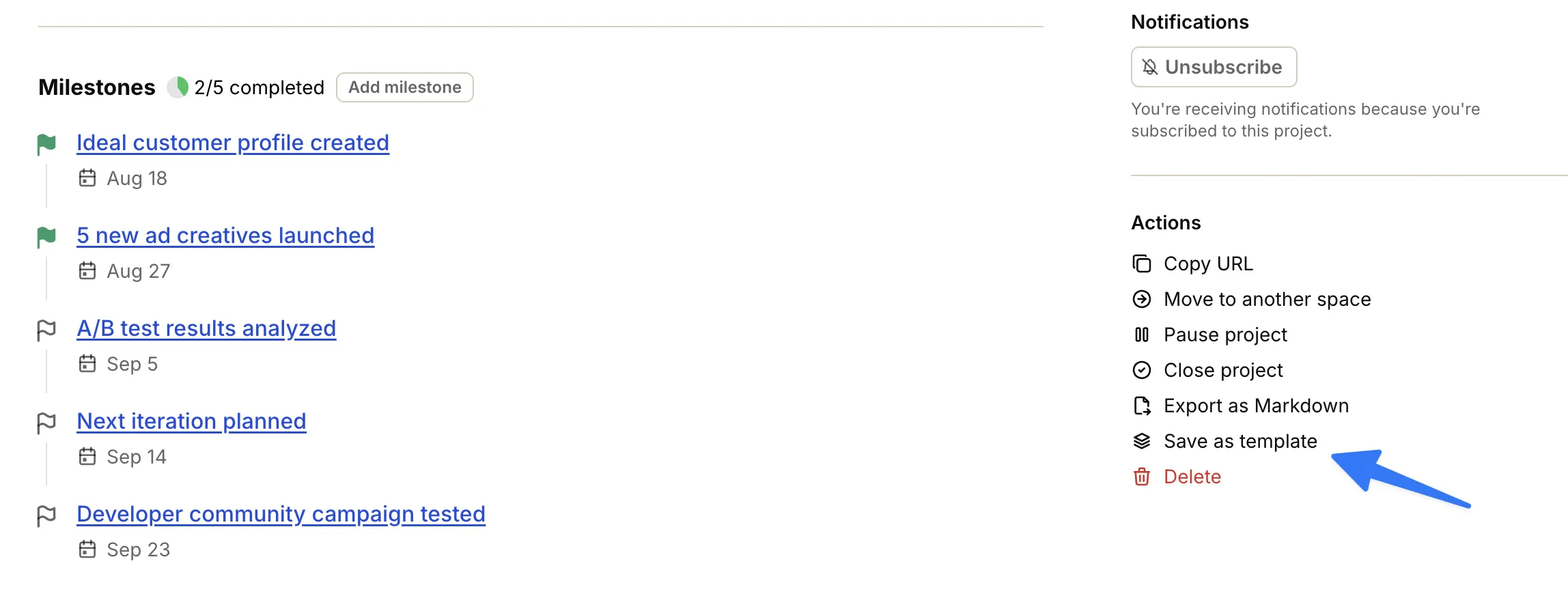
Save as template#
Section titled “Save as template#”- Open the project and go to the Overview tab.
- In the sidebar Actions, click Save as template.
- On Save project as template, review Template name and Description.
- Under Include, choose which parts to copy:
- People and assignments — Copies the project team with their roles and access. Off by default.
- Discussions — On by default.
- Comments — Off by default.
- Docs & Files — On by default.
- Click Save as template. Click Cancel to close without saving.
Operately then opens the new template so you can keep editing it. See Project templates.
Edge cases#
Section titled “Edge cases#”If people in the template are no longer active, creating a project from it leaves those roles and assignments unassigned.