

Space Tools
Space admins can enable or disable the following tools for each space: Documents & Files, Discussions, Tasks, Templates, and KPIs. This helps keep each space focused on the workflows that matter and hides sections your team does not use.
How to configure Space Tools#
Section titled “How to configure Space Tools#”- Navigate to the space you want to configure.
- Click on the ”…” icon in the top right corner.
- Select Configure tools from the dropdown menu.
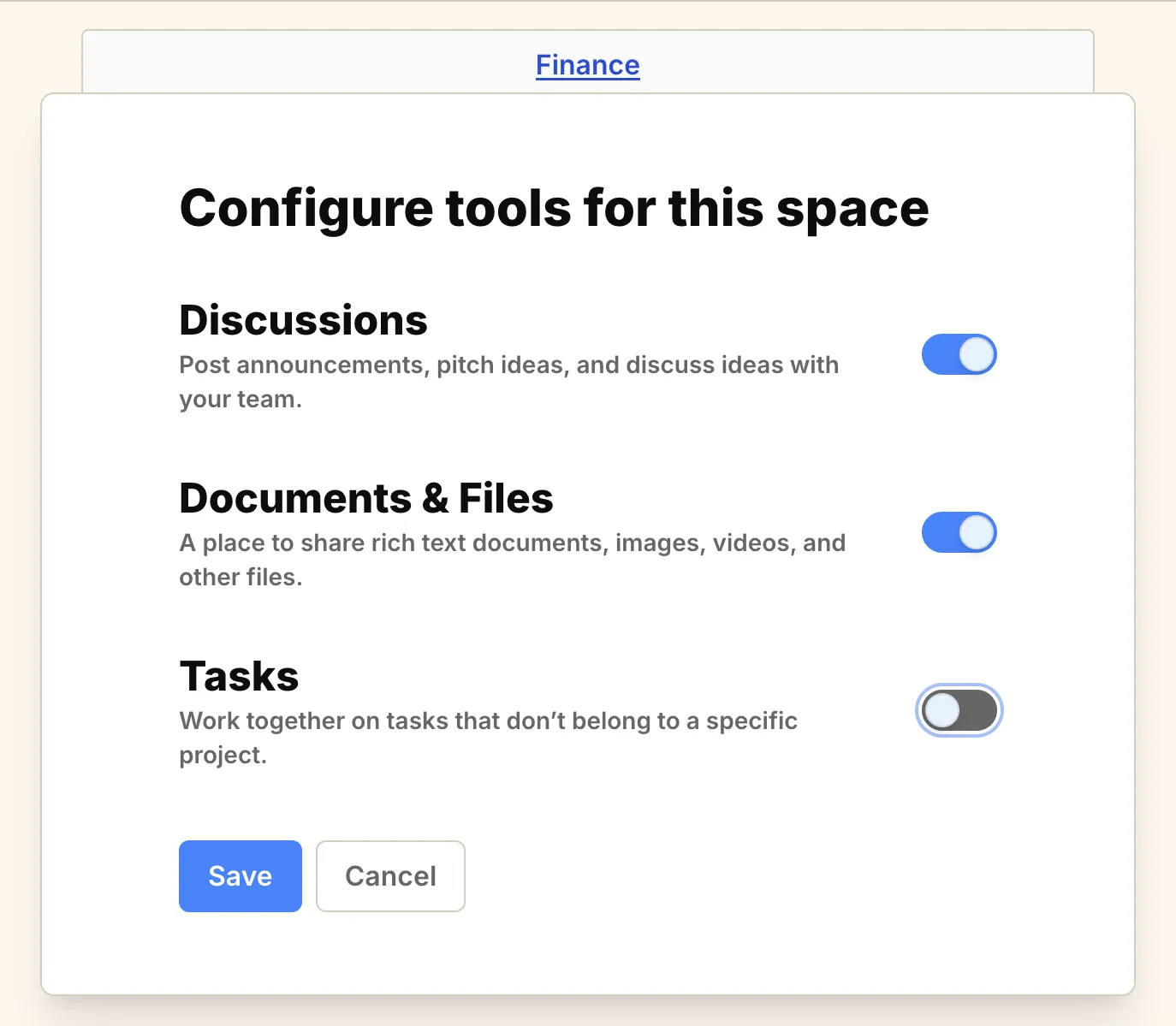
- Toggle the switches to enable or disable specific tools for that space.
Available Tools#
Section titled “Available Tools#”- Documents & Files: A place to share rich text documents, images, videos, and other files.
- Discussions: Post announcements, pitch ideas, and discuss ideas with your team.
- Tasks: Work together on tasks that don’t belong to a specific project.
- Templates: Save reusable project structures and use them for recurring work. See Project templates.
- KPIs: Track the numbers this space cares about and log updates on a weekly or monthly cadence. See Introduction to KPIs.
By customizing the tools available in each space, you can create a cleaner, more relevant environment for your team.