

Export document as Markdown
You can easily export your Operately documents to a Markdown file. This is useful for offline access or backups. There are two ways to do this.
Method 1: From the document page#
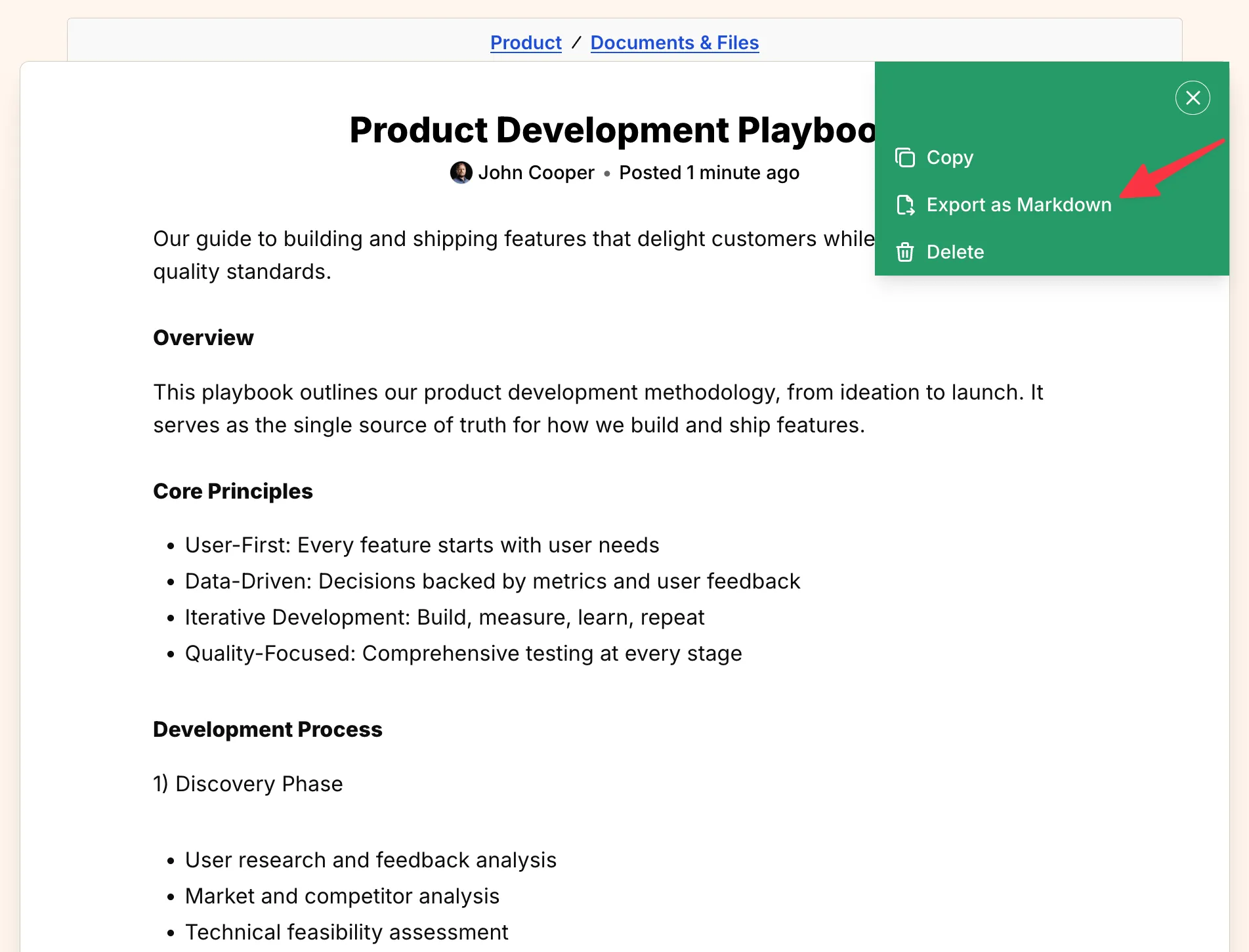
Section titled “Method 1: From the document page#”- Navigate to the document you want to export.
- Click the … icon located in the top-right corner of the page.
- Select Export as Markdown from the dropdown menu.
Method 2: From the file list#
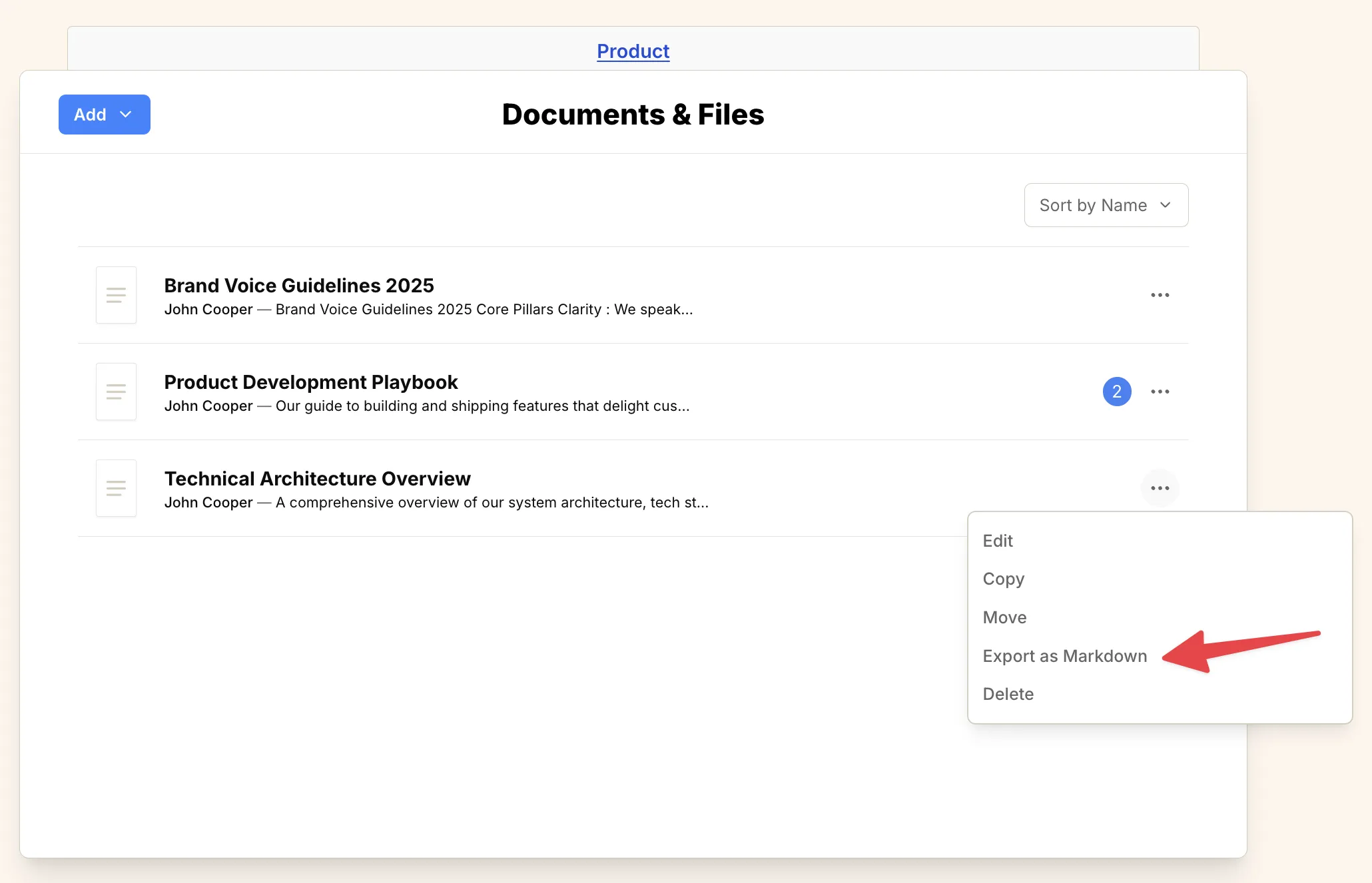
Section titled “Method 2: From the file list#”- Navigate to the Documents & Files tool (or the folder containing the document).
- Locate the document you want to export in the list.
- Click the … icon on the right side of the document row.
- Select Export as Markdown from the dropdown menu.
In both cases, a Markdown file containing all the document’s content will be automatically downloaded to your device.