

Inline comments
Use inline comments to discuss specific text in a document.
Start a thread#
Section titled “Start a thread#”- Open the document.
- Select the text you want to discuss and choose Add comment.
- Write your message and click Post.
Anyone with View access can read inline comments. You need Comment access to start, reply to, or resolve a thread.
Read and reply#
Section titled “Read and reply#”Click highlighted text to open its thread (beside the document on wide screens, or in the comments panel on narrow screens). Authors can edit or delete their own messages.
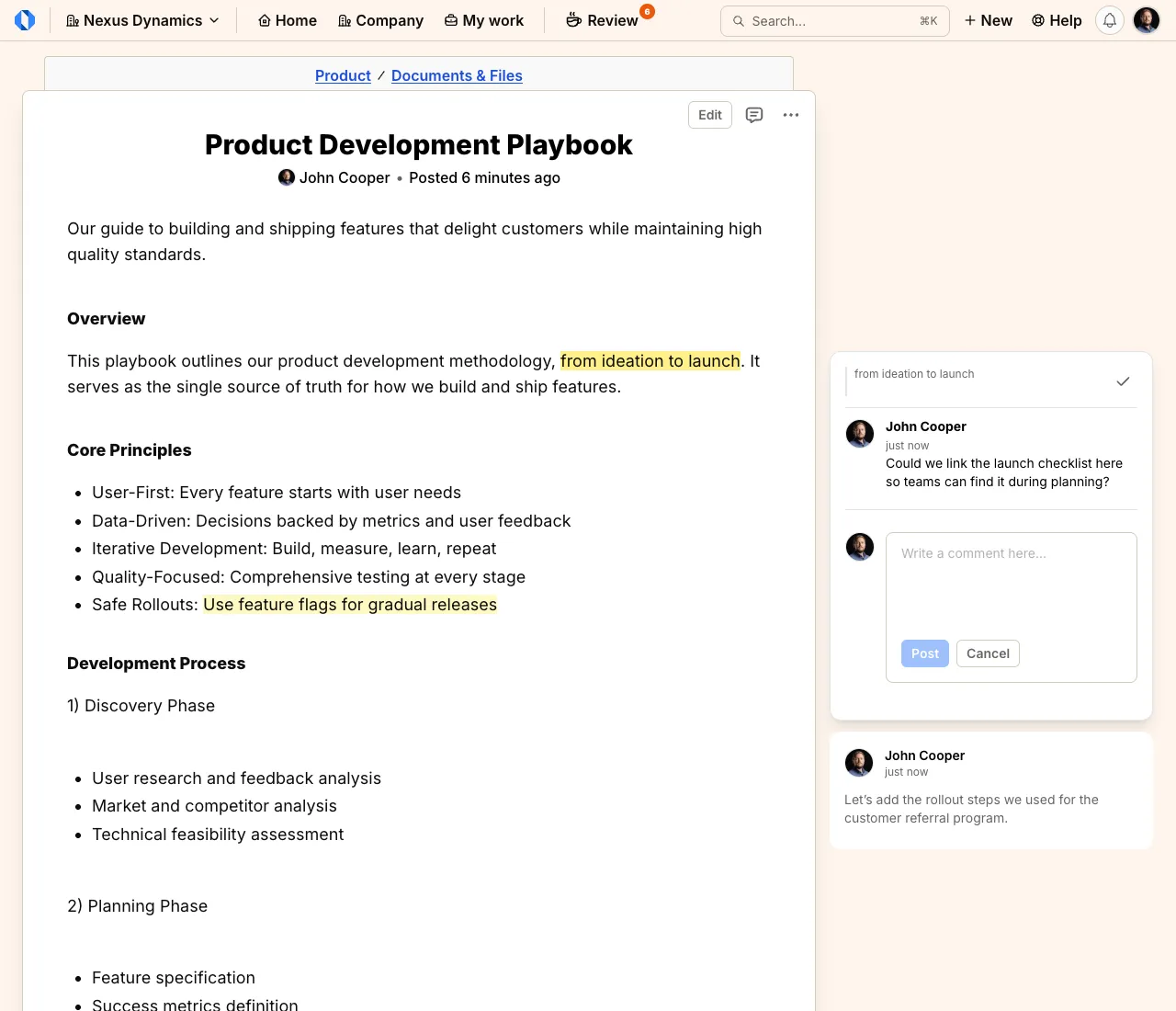
Open the comments icon in the header to view Inline comments, including Resolved threads.
Resolve or reopen#
Section titled “Resolve or reopen#”Choose Resolve once feedback is addressed. To continue a resolved thread, find it under Resolved and choose Reopen before replying or editing a message.
When the document changes#
Section titled “When the document changes#”- If someone edits the document while you’re drafting an inline comment, select the text again to post your saved message.
- After an edit or version restore, highlights follow the commented text where possible. If Operately can no longer locate it, the thread keeps the original quote and shows This passage is no longer available.