

Global Search
Finding specific goals, projects, milestone, tasks, or people across your organization is effortless with Global Search. The Global Search bar in the navbar lets you search across all resources and get instant results.
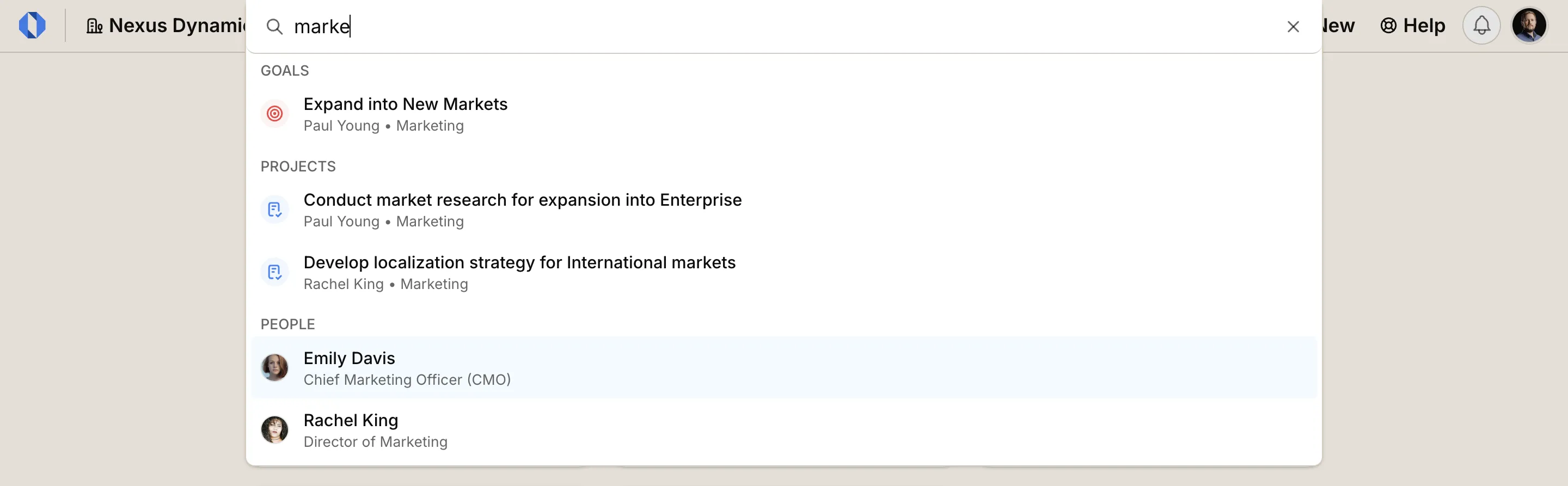
Quick search#
Section titled “Quick search#”Click Search… in the navbar, or press ⌘K, then type at least two characters.
The overlay placeholder is Search for spaces, projects, goals, milestones, tasks, or people…
Quick search matches titles and names only. Results are grouped (up to five per type):
- SPACES
- GOALS
- PROJECTS
- MILESTONES
- TASKS
- PEOPLE
- DISCUSSIONS
- FOLDERS
- DOCUMENTS
- FILES
- LINKS
Click a result to open it. If there are no title matches, the overlay shows No title or name matches for “work”.
Quick search does not include closed, completed, or archived work, and it does not search body text.
Search titles and content#
Section titled “Search titles and content#”To search titles and content, select Search all content for “work” at the bottom of the overlay, which takes you to the search page.
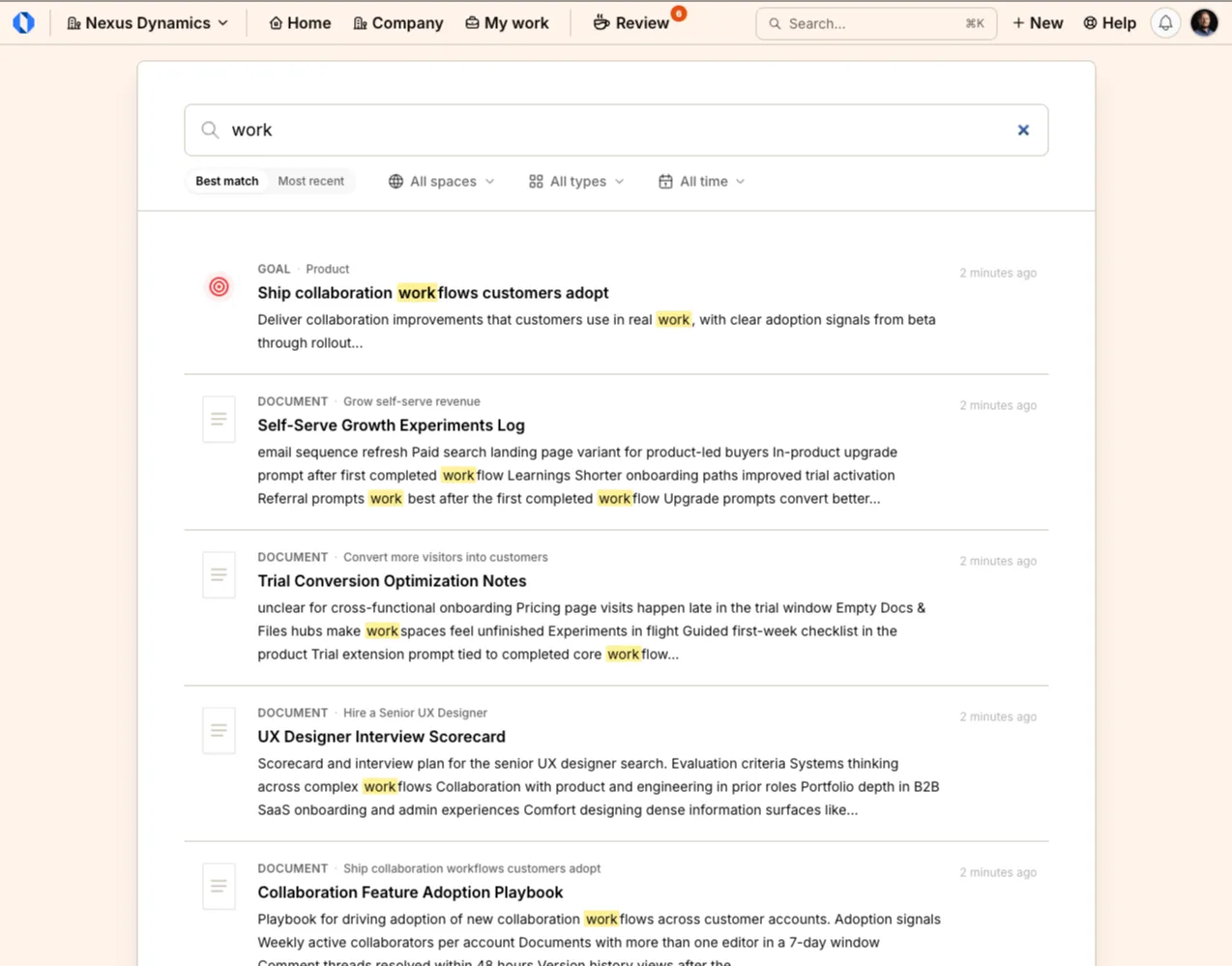
The Search page field is Search titles and content…
Refine with:
- All spaces
- All types — Projects, Goals, Milestones, Tasks, People, Discussions, Project check-ins, Goal check-ins, Project retrospectives, Documents, Folders, Files, Links
- All time — Last 7 days, Last 30 days, Last 90 days, Last 12 months
- Sort: Best match or Most recent
Full Search includes closed, completed, archived, and paused work, with badges Closed, Completed, Archived, or Paused. If nothing matches, it shows No content found for “work”. Try different keywords.
You only see results you already have permission to view.
Search documents and files#
Section titled “Search documents and files#”On a project or goal Docs & Files tab, or in a space’s Documents & Files tool, use Search documents and files… to search that hub’s folders, documents, files, and links.
Shortcuts#
Section titled “Shortcuts#”- Cmd+K / Ctrl+K — Open quick search
- Escape — Close the overlay
For the full list of shortcuts, including task navigation, see Keyboard shortcuts.