Operately v1.8
MCP Connections, Scheduled Posts, Retrospective Acknowledgements, and more
Operately v1.8 is here. This release makes it easier to bring AI into your work, prepare updates ahead of time, and review goal and project outcomes. You can now connect an AI client through MCP, schedule discussions and check-ins for later, and acknowledge project and goal retrospectives.
MCP Connections: Work with Operately from your AI client#
Operately now supports remote MCP connections for OAuth-capable AI clients. Connect a client, sign in to Operately, approve the requested access, and choose the company it should use.
Connected clients can search and read Operately data. With explicit write access, they can also create, update, delete, and archive content that your existing Operately permissions allow. The connection is tied to one company, so the context stays predictable.
You can review connected clients at any time. See which access each client has, when it connected, and when it was last used. If you no longer trust a client or no longer need it, you can revoke its connection.
Learn how to connect an AI client with MCP, including our setup guides for connecting ChatGPT and connecting Claude.
Scheduled discussions and check-ins: Write now, publish later#
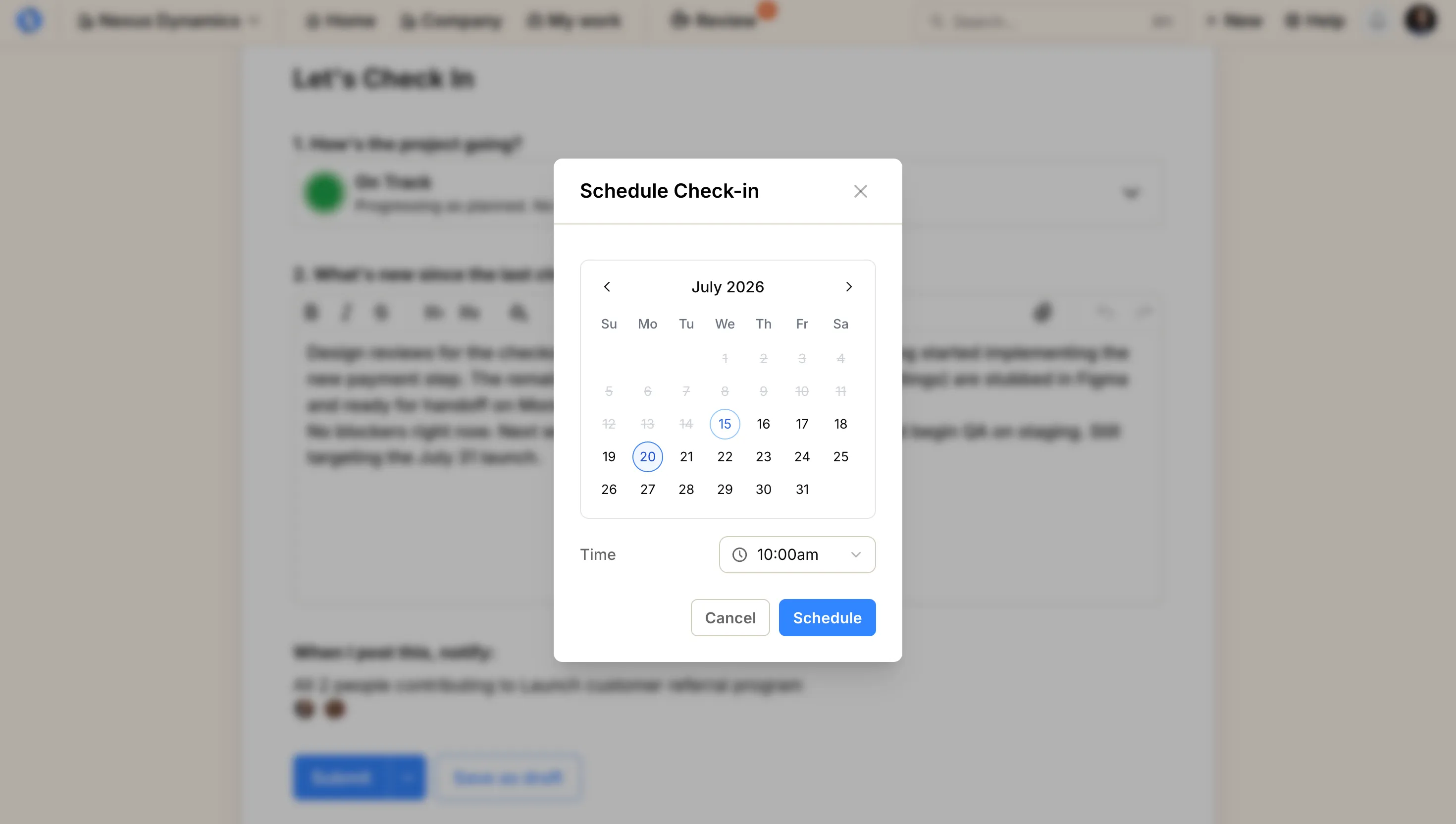
You can now schedule a discussion, goal check-in, or project check-in for a future date and time. Choose Schedule for later from the posting options, select a date and time, and click Schedule.
This is useful when you prepare an update ahead of time and want it to go out at a specific moment. Scheduled items remain unpublished until their scheduled time.
If plans change, open a scheduled item before it publishes to change the date, publish it, or save as draft instead.
Learn more in Start a discussion, Check-in on a goal, and Check-in on project.
Retrospective acknowledgements: Review goal and project outcomes#
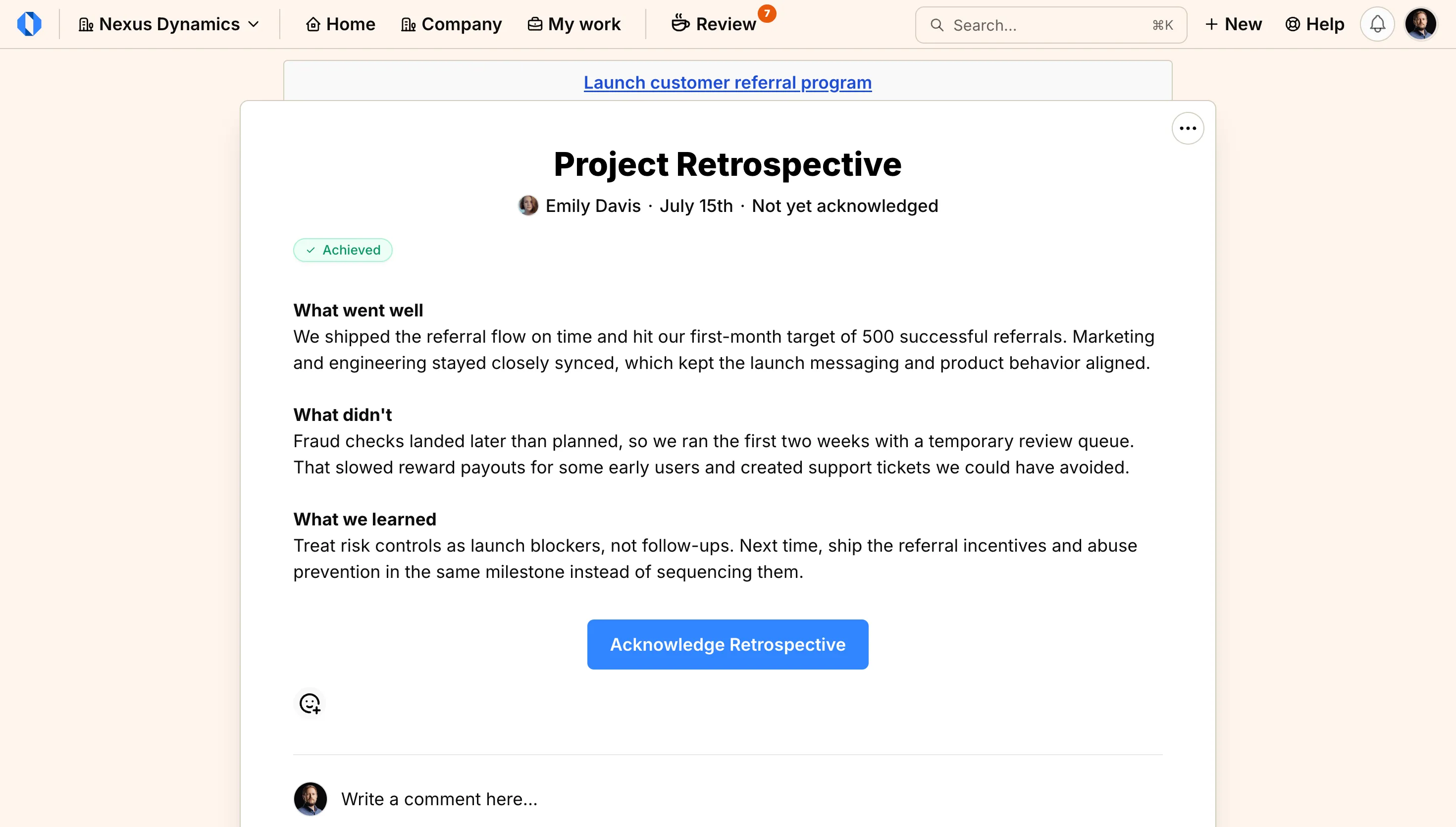
When a champion closes a goal or project, they write a retrospective: a look back at the whole effort. Reviewers can now acknowledge that outcome the same way they acknowledge check-ins, by clicking Acknowledge Retrospective.
Pending acknowledgements also appear on the Review page.
Read the updated guides for closing a goal, closing a project, and Review.
Project workflow: More context and a clearer history#
When pausing a project, you can now describe why the work is stopping and choose who to notify. That context appears with the pause activity, making the decision easier to understand later.
Published project check-ins can also be fully edited for three days, as long as they are the latest check-in. After that window, the status is locked to preserve a clear history, while the description can still be corrected or expanded. See Pause project and Check-in on project.
Additional improvements#
This release includes a number of smaller improvements that make day-to-day work more reliable:
Multi-file uploads — The Upload files action in Docs & Files now lets you select several files at once.
Accurate check-in posting times — Check-in headers now show the actual posting time, including for scheduled posts.
Cleaner discussion drafts — You can discard an unpublished discussion from its page or from the Your Drafts list.
More reliable collaboration — Comment lists no longer flicker after posting, and goal champions can acknowledge eligible check-ins they did not author.
Clearer access signals — Invite-only projects now show their privacy state directly on the project page.
Sign up for Operately#
Ready to experience Operately v1.8? Sign up for a free account and see how these new features can transform how your team works together.
Self-host in 5 minutes#
Prefer to use your own infrastructure? Follow our self-hosted installation guide to get Operately running on your servers in minutes.
If you are already running the self-hosted version, follow the update guide to upgrade to the latest release.
Join the Operately community#
Operately is open source and available under the Apache 2.0 license. Join our growing community of users and contributors:
- Star the repository on GitHub to show your support
- Join our Discord server to connect with the team and community
- Contribute by submitting bug reports, feature requests, or code on GitHub
- Share Operately with your network and help us grow
Special thanks to our contributors#
We’re grateful for everyone who has contributed to making Operately better. Your feedback, bug reports, feature suggestions, and code contributions help shape the product for the entire community. Thank you for being part of this journey with us.
Your contributions help make Operately better for everyone. Thank you!
— The Operately Team